Kling 4.0: Release Date, Features and Specs
Kling4 TeamPublished on
Table of Contents
Kling 4.0 came out on October 15, 2026. That is the day Kling AI made the full model available to everyone. A lighter sibling, Kling 4.0 Flash, had already opened to a limited early-access group on September 28. Below you'll find the dated timeline, each new feature in plain terms, the specs Kling has published, and an honest split between what you can run on our Kling 4.0 generator today and what is still only on Kling's own platform or marked "coming soon".
Every fact about the model comes from Kling AI's own pages, linked where it appears. Kling4 is an independent site, so where Kling's pages disagree with each other we show both versions instead of picking one.
Kling 4.0 release timeline
| Date | What happened | Source |
|---|---|---|
| Jan 31, 2026 | Kling 3.0 fully rolled out, the generation before 4.0 | Kling 3.0 release note |
| Apr 23, 2026 | A 4K mode was added to the VIDEO 3.0 series | 4K release note |
| Jun 17, 2026 | Kling 3.0 Turbo launched for faster generation | 3.0 Turbo release note |
| Sep 28, 2026 | Kling 4.0 Flash opened to a limited group for early access | Kling 4.0 developer page |
| Oct 15, 2026 | Kling 4.0 became available to everyone; the release history logs "Meet All-New Kling 4.0!" as a major release | Kling 4.0 release note, release history |
| Oct 26, 2026 | Kling published the Kling 4.0 user guide | Kling 4.0 user guide |
| No date yet | 10-bit HDR output and video extension to 2 minutes, both listed as "coming soon" | User guide, release note |
So if you're asking when Kling 4.0 came out, the date to quote is October 15, 2026. The only official page that reads differently is the developer copy of the announcement, which still carries the pre-launch line that the model "will officially launch in October". The release note and the release history both settle it on the 15th. As of November 3, Kling hasn't given a date for HDR or for extension leaving "coming soon".
What is Kling 4.0?
Kling 4.0 is Kling AI's newest video model. It makes clips with sound from a text prompt, from still images placed on a timeline, or from a mixed set of images and video clips that you hand it as references. One generation can run for up to 30 seconds.
On Kling's platform there are two ways in. Omni Reference is the default, and it also covers plain text-to-video and keyframe-to-video. Keyframes is the second entry, built around up to ten images on a timeline. You pick one per task; the user guide says the two can't be combined. Kling 4.0 Flash sits in the same lineup as a faster, more cost-efficient mode with tighter limits.
Kling 4.0 features, one by one
30-second takes
A single Kling 4.0 generation runs from 3 to 30 seconds in 1-second steps, with 10 seconds as the default on Kling's platform. Kling 3.0 stopped at 15. Doubling the ceiling matters more than it sounds: a product turnaround, a short dialogue scene or a full musical phrase can now fit in one take instead of being stitched from two clips that never quite match.
Multi-shot is switched on by default, so a long take can contain cuts. Kling calls the automatic version Smart Storyboard and doesn't give it a toggle.
Resolution, 4K and 10-bit HDR
This is where Kling's own pages disagree, so here is each version:
- The user guide and the release note list 720p, 1080p and 4K as current resolutions.
- Both mark 10-bit HDR as coming soon; the release note says it will arrive at 4K and 1080p.
- The Kling 4.0 feature page says in one section that native 4K and 1080p output is coming soon, then says in its FAQ that the model supports native output up to 4K.
Our reading: 4K appears as a current option in the two most detailed documents, and HDR isn't live anywhere yet. 4K itself isn't brand new, since Kling 3.0 gained a 4K mode in April. HDR would be the real first.
A 21:9 frame
Kling 4.0 adds a 21:9 aspect ratio alongside 16:9, 1:1 and 9:16, and on Kling's platform the default is Auto. In the Keyframes entry the frame follows your first keyframe once you upload images.
Omni Reference: up to 15 references
Omni Reference lets one task draw on up to 15 assets: up to 10 images, up to 5 video clips (3 to 30 seconds each, 30 seconds in total), up to 3 voice profiles and up to 7 elements. The release note also lists less obvious inputs it accepts: three-view character sheets, image grids, storyboards, wireframes, grey-box ("white-model") videos and depth-map videos. Our Omni Reference guide covers how to tag each one and write the prompt.
Keyframes, including middle frames
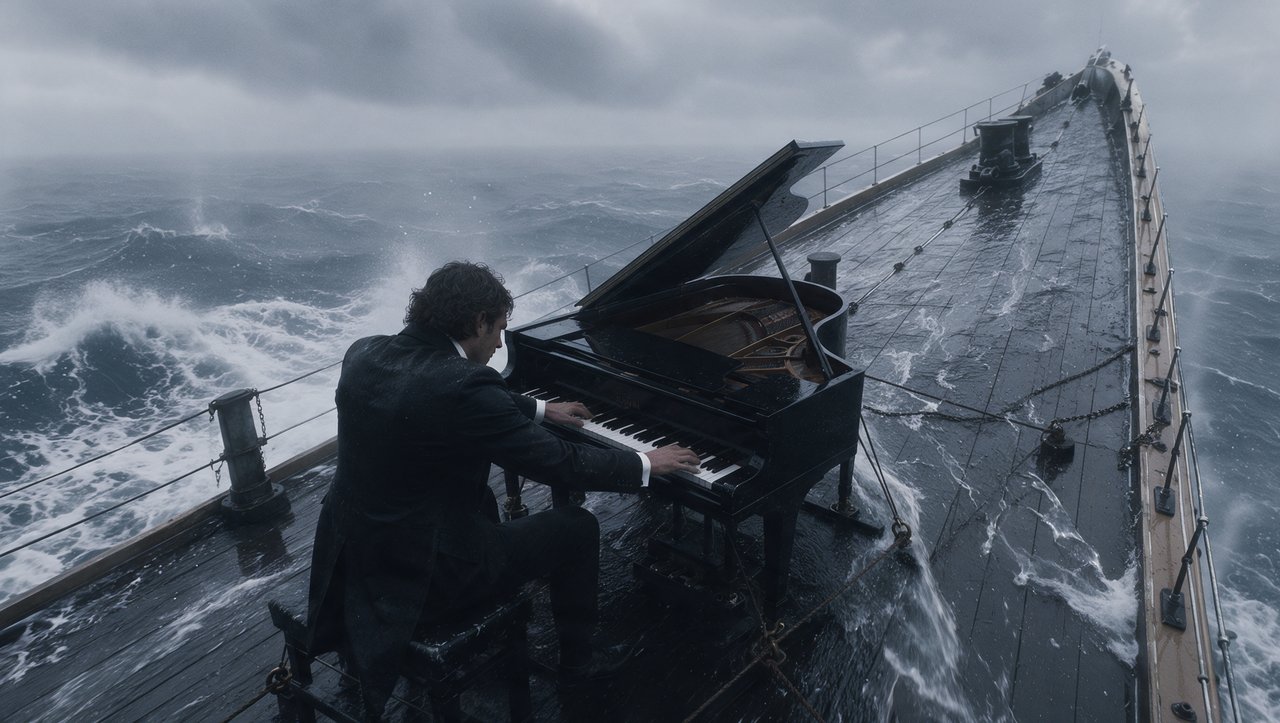
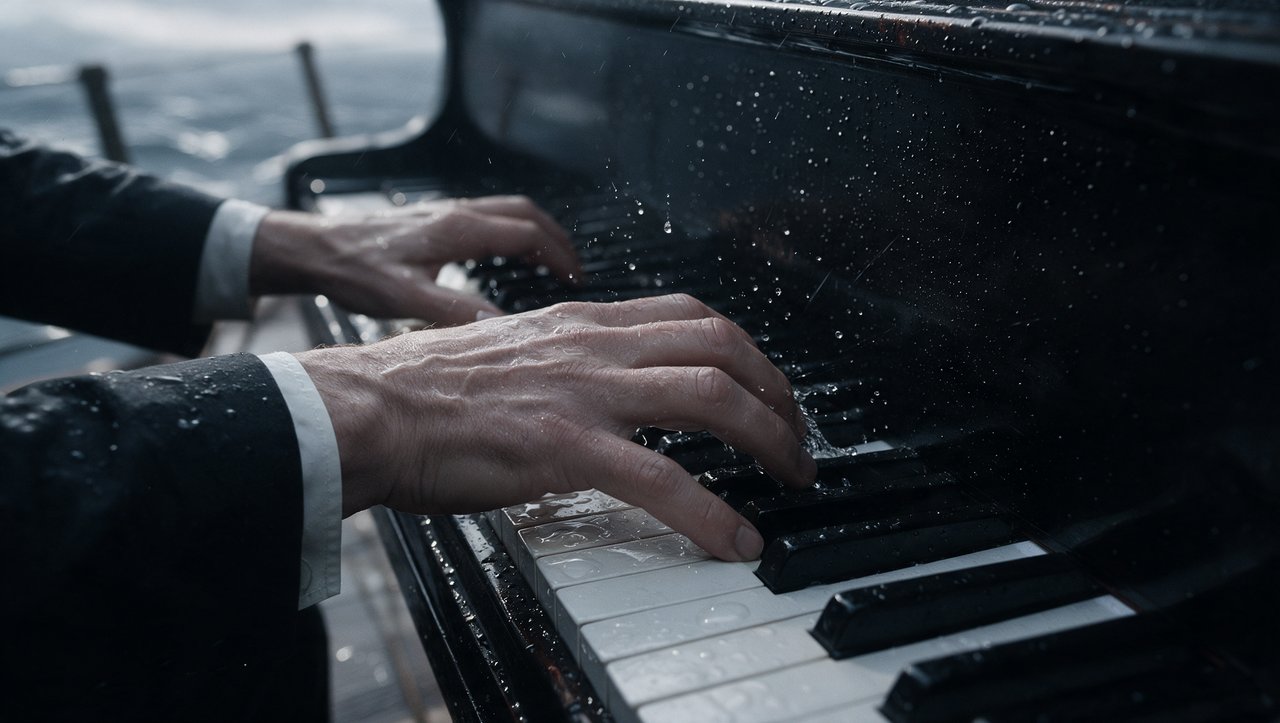
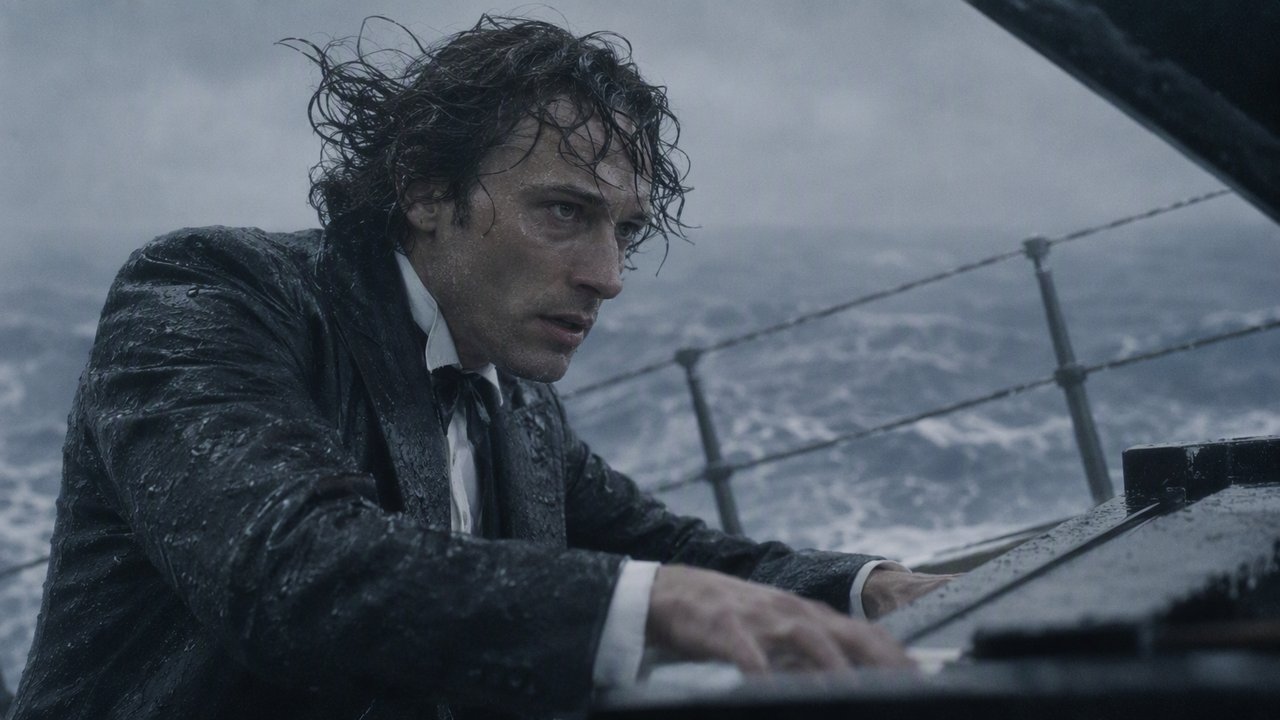
The Keyframes entry takes up to 10 images. Each one can be the first frame, the last frame, both ends, or a frame in the middle at any point on the timeline. That last part is new: instead of describing how a shot gets from A to B, you show the model the stops along the way.
 Keyframe 1
 Keyframe 2
 Keyframe 3
 Keyframe 4
Four stills, used in order: the ship from above, the pianist from behind, his hands, his face. The 22-second clip passes through each one and ends on a wide shot of the ship against the swell. Middle keyframes like these are not available on Kling4.
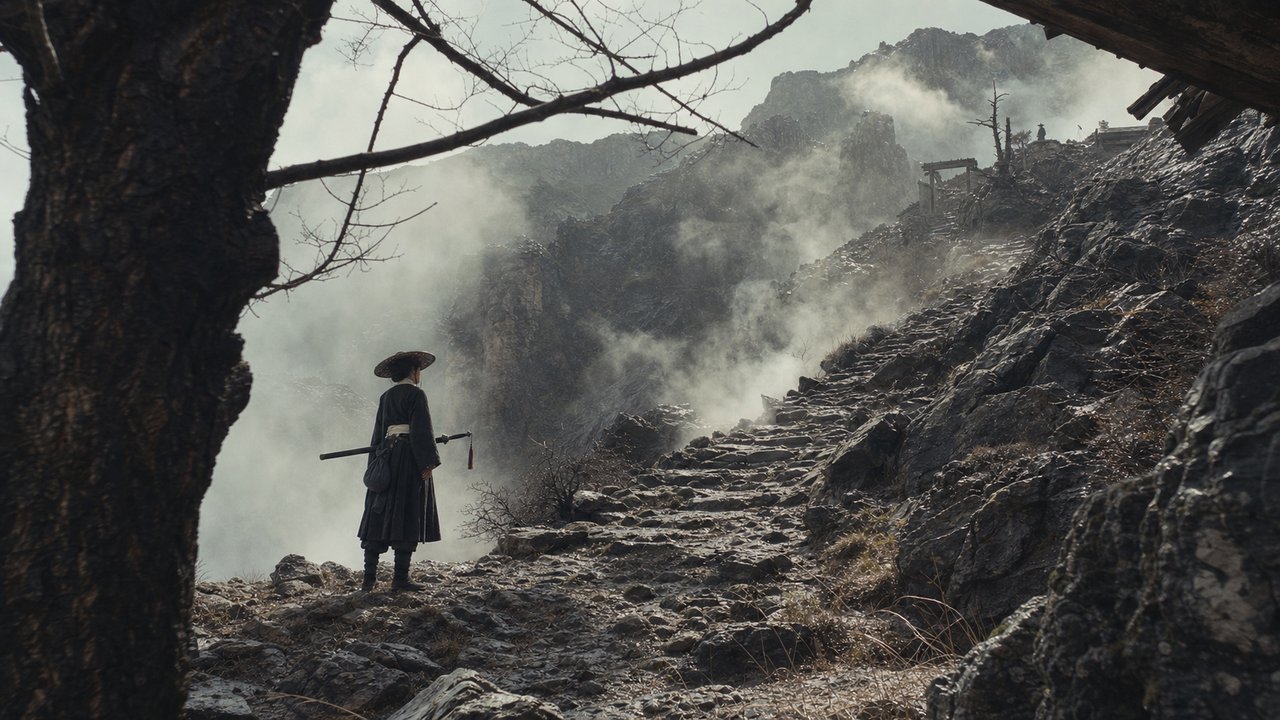
Demo by Kling AI · Kling 4.0 developer pageThe second keyframes demo shows a detail that's easy to miss. Its first image is a three-view sheet of the character (front, side and back), not a moment in the shot. The clip opens on the second image and moves through the other two, keeping the hat, robe and blade consistent from the wide shot to the close-up.
 Character sheet
 Keyframe 2
 Keyframe 3
 Keyframe 4
A character sheet plus three keyframes. The 15-second clip starts on the path, cuts to her face and ends on the raised dart. Kling4 has no middle keyframes, so this setup can't be rebuilt here.
Demo by Kling AI · Kling 4.0 developer pageThe user guide also shows a clip made from a last frame only: a 17th-century militia gathers in a dark archway, shot like live action, and the scene settles into the painting supplied as the final frame. On Kling4 a last frame always needs a first frame next to it, so this exact setup can't be rebuilt here either. A first and last frame pair works on our image to video page.
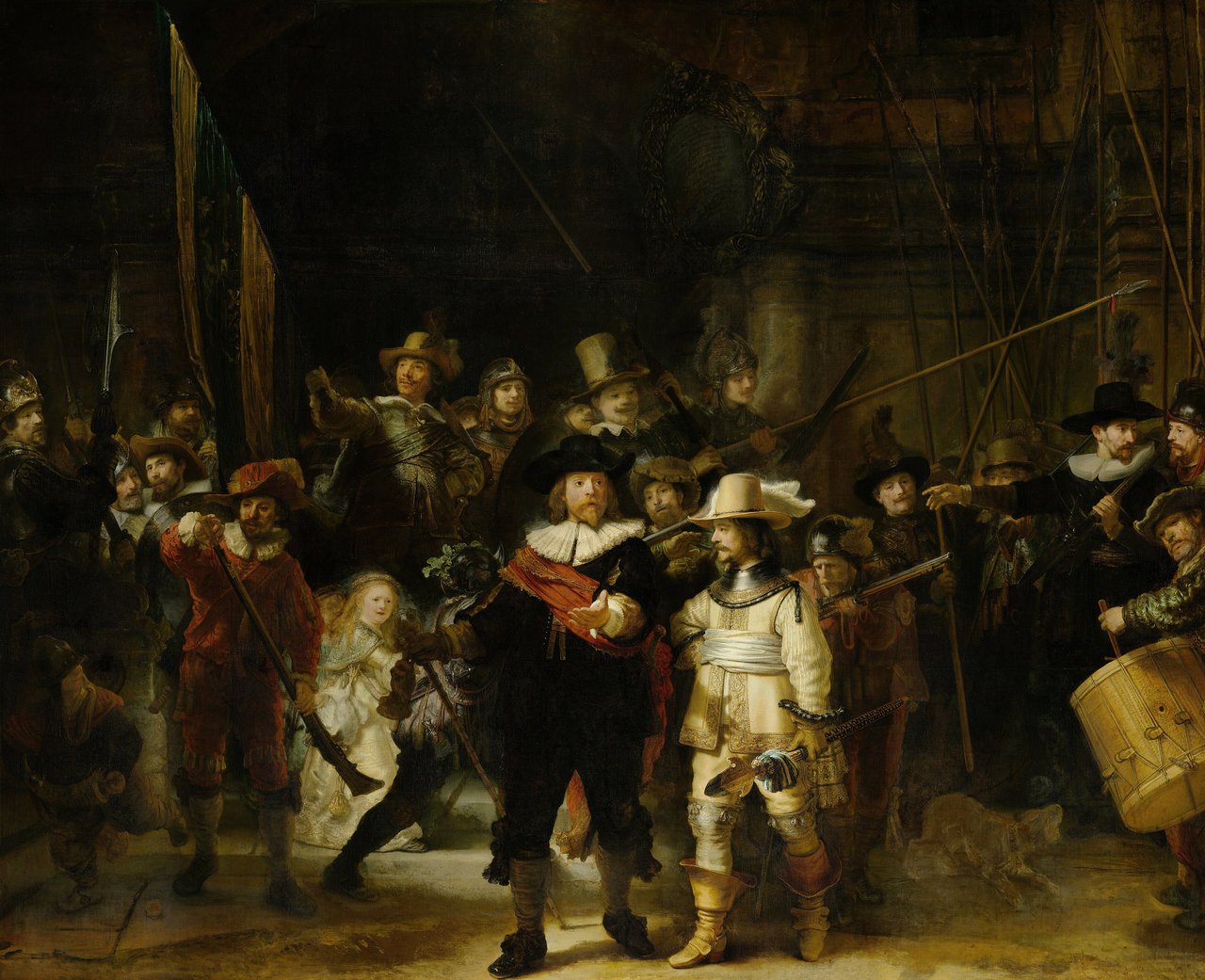 Last frame
One input, used as the final frame. The first half plays as live action; by the end the shot has become the painting. A last frame without a first frame is not available on Kling4.
Demo by Kling AI · Kling 4.0 user guideSound, speech and on-screen text
Kling 4.0 generates two-channel stereo sound, and audio-visual sync is on by default. The only audio you can upload is a voice reference; background music and sound effects can't be supplied as files.
Speech covers Chinese, English, Japanese, Korean, Spanish, Portuguese, German, French and Hindi, with German, French and Hindi marked as new. One source conflict here: the developer page lists Indonesian where the user guide and the release note list Hindi. Kling also lists Chinese dialects and accents (Beijing, Taiwanese Mandarin, Northeastern, Sichuanese and Cantonese) plus American, British and Indian English. On-screen text works in the same nine languages and can include emoji and logos.
Much longer prompts
Prompts on Kling's platform can run to 8,000 tokens. That's room for shot-by-shot direction, dialogue for several characters and notes on what each reference is for.
Video editing
Kling 4.0 can edit existing footage: up to 5 clips with one primary, each 3 to 30 seconds and 30 seconds in total. The guide shows five kinds of edit: adding an element, replacing characters or the scene, replacing several characters at once, removing an element and changing the style. Wording matters: the prompt has to say "Edit @Video1", because "Reference @Video1" may be read as a request for a new clip instead.
- Clip to edit
 Style image
The edit keeps the rider's moves, the framing and the cut timing, and swaps only the look for the felt texture of the style image. Video editing is not available on Kling4.
Demo by Kling AI · Kling 4.0 user guideVideo extension (announced)
Extension will lengthen a clip in several passes up to 2 minutes in total. The feature page describes adding footage before or after an existing clip. Both the guide and the release note still mark it "coming soon".
Kling 4.0 Flash
Flash is the high-frequency mode, which Kling describes as faster and more cost-efficient. It runs 3 to 20 seconds at 720p in 8-bit SDR, and it handles text-to-video, a first frame and Omni Reference. It doesn't support start and end frames or multiple keyframes. Kling hasn't published speed figures or Flash pricing. Our Kling 4.0 Flash page tracks where it stands.
What changed from Kling 3.0
- Take length: 15 seconds in Kling 3.0, 30 seconds in Kling 4.0.
- References: Kling 3.0 paired a start frame with elements built from 2 to 4 images or a video, and kept a separate 3.0 Omni model. In Kling 4.0, Omni Reference is the default way in and takes up to 15 assets.
- Keyframes: middle frames at any point on the timeline are new, up to 10 images per task.
- Speech: the Kling 3.0 guide listed five dialogue languages; Kling 4.0 lists nine.
- Frame and range: 21:9 is new, and 10-bit HDR is announced but not live.
The same prompts run through both models are in our Kling 4.0 vs Kling 3.0 comparison.
Kling 4.0 specs
The middle column is what Kling publishes for its own platform. The right column is what you get when you generate on Kling4.
| Spec | Kling 4.0 on Kling's platform | Kling 4.0 on Kling4 |
|---|---|---|
| Available since | Oct 15, 2026 (Flash early access Sep 28) | Available now |
| Inputs | Text, images, first and last frames, up to 10 keyframes, Omni Reference | Text, a first frame with an optional last frame, or a reference set |
| Length | 3–30 s in 1 s steps, default 10 s | 3–30 s |
| Resolution | 720p, 1080p, 4K (the feature page is inconsistent on 4K) | 720p, 1080p |
| HDR | 10-bit at 1080p and 4K, coming soon | Not available |
| Aspect ratio | 21:9, 16:9, 1:1, 9:16, Auto | 21:9, 16:9, 1:1, 9:16 |
| Prompt | Up to 8,000 tokens | Up to 2,500 characters |
| References | 15 assets: 10 images, 5 clips (30 s total), 3 voice profiles, 7 elements | 10 images and up to 5 clips (30 s total); one clip per run in today's composers |
| Sound | Stereo, sync on by default, voice reference upload | Generated with every clip, no uploads |
| Speech | Nine languages, Chinese dialects, three English accents | No language setting; write the lines in the language you want |
| Video edit | Up to 5 clips, 30 s total | Not available |
| Extension | Up to 2 min, coming soon | Not available |
| Flash | 3–20 s, 720p, 8-bit SDR | Not available |
| Price | No per-second credit price found on Kling's pages | 3 credits/s at 720p, 5 at 1080p; 1.8 or 3 per billed second with a reference clip |
Where you can use Kling 4.0
Kling AI's own platform
Kling AI's own platform at kling.ai is where Kling documents every feature above: both entry points, middle keyframes, video editing, voice profiles and elements, plus HDR and extension once they ship. On the pages we checked on November 3, 2026, we couldn't find a published per-second credit price for Kling 4.0 there.
The API
Developers reach Kling 4.0 through the API, and Kling AI's developer site has its own Kling 4.0 release page. As noted above, that page still uses pre-launch wording and lists Indonesian among the speech languages. Kling4 sends its generations to Kling 4.0 over the API too, and the list below is exactly what we expose.
Kling4
On Kling4 you can run Kling 4.0 from text, from a first frame with an optional last frame, or from a reference set of up to 10 images plus a clip (Kling4 accepts up to 5 clips and 30 seconds of footage, but the composers attach one clip per run for now). Takes run 3 to 30 seconds at 720p or 1080p in 16:9, 9:16, 1:1 or 21:9, prompts can be up to 2,500 characters, and sound is generated with every clip. A run costs 3 credits per second at 720p or 5 at 1080p. With a reference clip attached the rate drops to 1.8 or 3, but billing then counts the output length plus whichever is longer, the clips or the output. Reference images add nothing. Without an account you get one watermarked 5-second 720p clip per 24 hours.
What Kling4 does not offer: middle keyframes, a last frame without a first frame, video editing, extension, 4K, 10-bit HDR, Kling 4.0 Flash, voice profiles, elements and the Auto frame setting. The demos on this page are Kling AI's, made on Kling's platform, and all four rely on features from that list.
FAQ
When was Kling 4.0 released?
Kling 4.0 was released to everyone on October 15, 2026, according to Kling AI's release note, and the release history records it that day as a major update. Kling 4.0 Flash came first, opening to a limited early-access group on September 28, 2026. The full user guide followed on October 26. 10-bit HDR and two-minute extension were still marked coming soon in early November.
Who makes Kling 4.0?
Kling 4.0 is made by Kling AI, the video generation team behind kling.ai, which belongs to the Chinese technology company Kuaishou. Kling AI publishes the model's release notes, user guide and developer pages. Kling4, the site you are reading, is a separate, independent service with no ties to either company. We run Kling 4.0 through the API and credit every Kling AI demo we show.
What is new in Kling 4.0?
The main changes are single takes of up to 30 seconds (Kling 3.0 stopped at 15), Omni Reference with up to 15 references across images, clips, voice profiles and elements, up to 10 keyframes including middle frames, a 21:9 frame, nine speech languages, prompts of up to 8,000 tokens and video editing. 10-bit HDR and extension to two minutes are announced but not live yet.
- #Kling 4.0
- #Kling 4.0 Flash
- #Release notes